

Cubita Life
Guide

Cubita Life Account Guide: Progress Across Phone and Computer

Your Cubita Life account saves everything. This guide covers accounts, switching devices, and keeping progress safe.

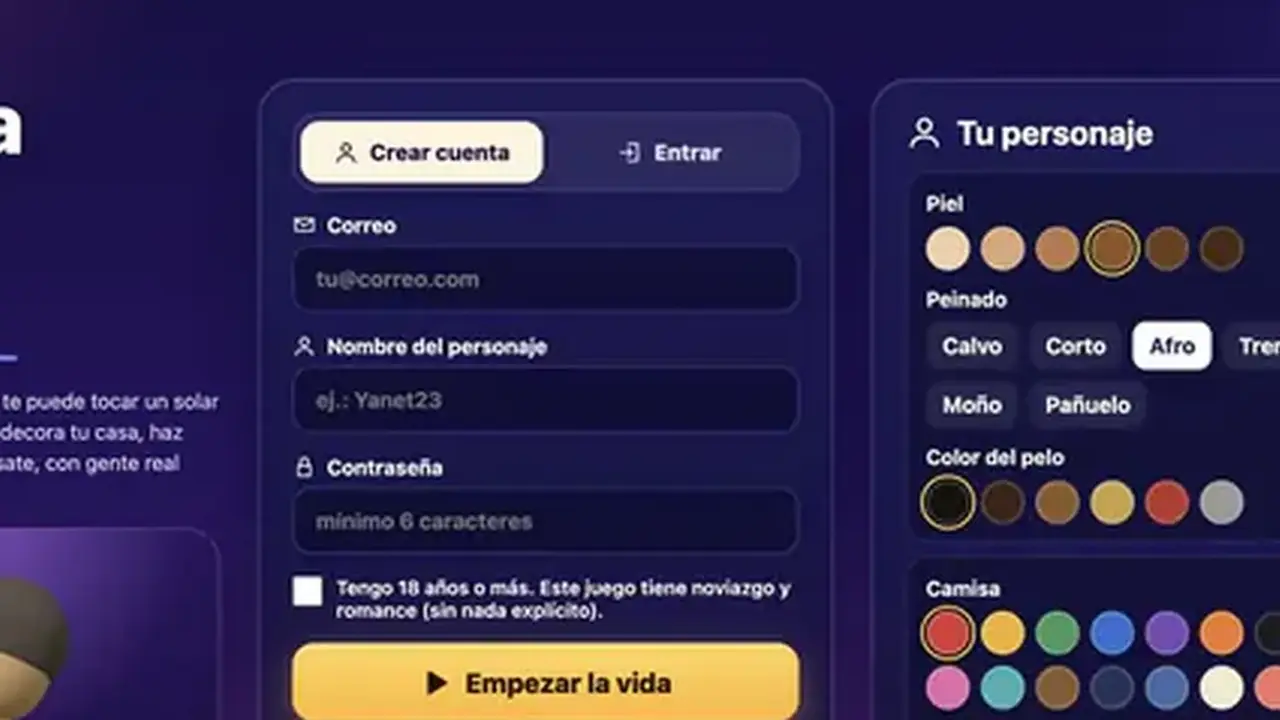
Detail of the Cubita Life character art: the create-account form and the colour panels

Accounts in Cubita Life browser game are what make the game portable. Progress is saved to your account, not to one device, so a character started on a phone continues on a computer with money, properties, stats, and position intact. The account is the game, in a real sense.

Protect it like one. Use an email address and password you will remember, keep the password private, and never share it in chat, no matter who asks. If you play on a shared computer, log out when you finish, and if anything about the account ever looks wrong, change the password first and ask through official channels second.

Switching devices is simple: open the game in the new browser, sign in, and everything is where you left it. The beginner guide covers account creation, and the phone and chat guide covers the world the account lives in.

Cubita Life Questions

Does progress save across devices?

Yes. Progress is saved to your account and follows you between phone and computer.

What if I forget my password?

Use the account recovery on the official site, and keep your email address current so recovery reaches you.

Yanelis Gomez

Written by

Yanelis Gomez

Browser Game Reviewer

Yanelis Gomez covers browser games and life simulation games from Cuba. She plays each game in the browser on phone and computer, checking how accounts, progress and daily play actually work before writing about it.